Digital Safety · Families with kids and tweens · 7 min

"Can I watch this?" A parent's guide to rating tools and controls for movies and TV

Your kid asks if they can watch the show everyone at school is talking about. You have about four seconds to decide, and you have never heard of it.

5 min read· 1,099 words
Mother and school-age child on the sofa with a remote, choosing a movie together on the TV
A rating on the box tells you very little. Other parents have already watched it and written down exactly what happens.
Why ratings are not enough

A rating label does not describe the scene

A PG-13 rating does not tell you whether the scary part is a jump scare or forty minutes of dread. A TV-14 tag does not tell you that episode six opens with a suicide scene.

The good news is that other parents have already watched these things and written down exactly what happens. Here is where to find them, and how to set up the controls that do the work when you are not in the room.

Part 1

Sites that tell you what is actually in it

Six places to look up a title in under a minute. Two bookmarked on your phone is plenty — more and you will not use any of them.

Common Sense Media

Reviews movies, shows, games, apps, books and podcasts with a suggested minimum age plus 0-to-5 scales for violence, sex, language, drinking and drugs, positive messages and consumerism. Their age suggestions lean cautious. The parent and kid reviews underneath are often more useful than the official one, because you get the range: one parent's nine-year-old was fine, another's twelve-year-old had nightmares.

IMDb Parents Guide

The fastest option when you are standing in the living room with the remote in your hand. Pull up any title, scroll to Parents Guide, and you get five categories rated None, Mild, Moderate or Severe: sex and nudity, violence and gore, profanity, alcohol and drugs, and frightening or intense scenes. Expand any one for scene-by-scene descriptions. Crowd-written, so the tone swings — but for obscure titles and brand-new streaming drops it is often the only detailed source.

Kids-In-Mind

Every film gets three numbers out of ten, in this order: sex and nudity, violence and gore, language. So "2.5.4" tells you most of what you need before you read a word. Deliberately non-judgmental: no age recommendation, no verdict, just a catalogue of what happens on screen so you decide for your own kid.

Parent Previews

Written by a small team of parents and reads more like a conversation than a database entry. Covers new theatrical releases quickly and includes talking points — handy when you know your kid is going to see something with friends regardless and you would rather be ready for the car ride home.

Plugged In and the Dove Foundation

Both review from an explicitly Christian perspective. If that matches your family's values, the detail is excellent and includes spiritual themes other sites skip. If it does not, you can still mine them for the factual content lists and ignore the framing.

One quick warning: ratings are national

A film rated PG-13 in the US may be 12A in the UK or 14 anos in Brazil, and the same film can be cut differently for different markets. If you are outside the US, check your own classification body alongside these sites.


Part 2

The controls inside the apps

Review sites help you decide. Controls stop the decision from being made for you at 7pm on a Saturday while you are cooking dinner.

Netflix

The most precise controls of the major services, and most of them live on the website rather than the TV app. Go to Account, then Profile & Parental Controls: set a maturity rating per profile, put a four-digit PIN on the adult profiles, and block specific titles by name. That last one is underrated — if there is one show whose theme tune makes you want to walk into the sea, you can make it disappear from your child's profile. While you are there, turn off autoplay on the kids' profiles.

Disney+

Now carries Hulu's catalogue inside the same app, which means the "safe" app on your TV also houses adult dramas and horror. Go to Edit Profiles and turn on Kids Profile for the strictest setting, or set a custom content rating limit for older children. Add a Profile PIN so kids cannot switch out. Some rating tiers group PG and PG-13 together, so for younger children the strict Kids Profile is safer than a custom limit.

HBO Max

Needs this more than most, given what sits in the HBO library. Create Kids Profiles, set maturity limits per profile, and lock the adult profiles with a PIN.

Prime Video

Lets you restrict by rating and require a PIN for purchases and rentals, which matters because accidental rentals are a real budget item. The PIN applies across the whole account rather than per profile, so it is blunter than the others.

YouTube

The hardest one. YouTube Kids is the safer starting point for under-eights, with content-level settings and the option to approve individual channels yourself. For older kids on regular YouTube, supervised accounts through Google Family Link let you choose a content level and see history.

Part 3

The backstop layer

App controls fail when a child switches apps. Device controls catch that.

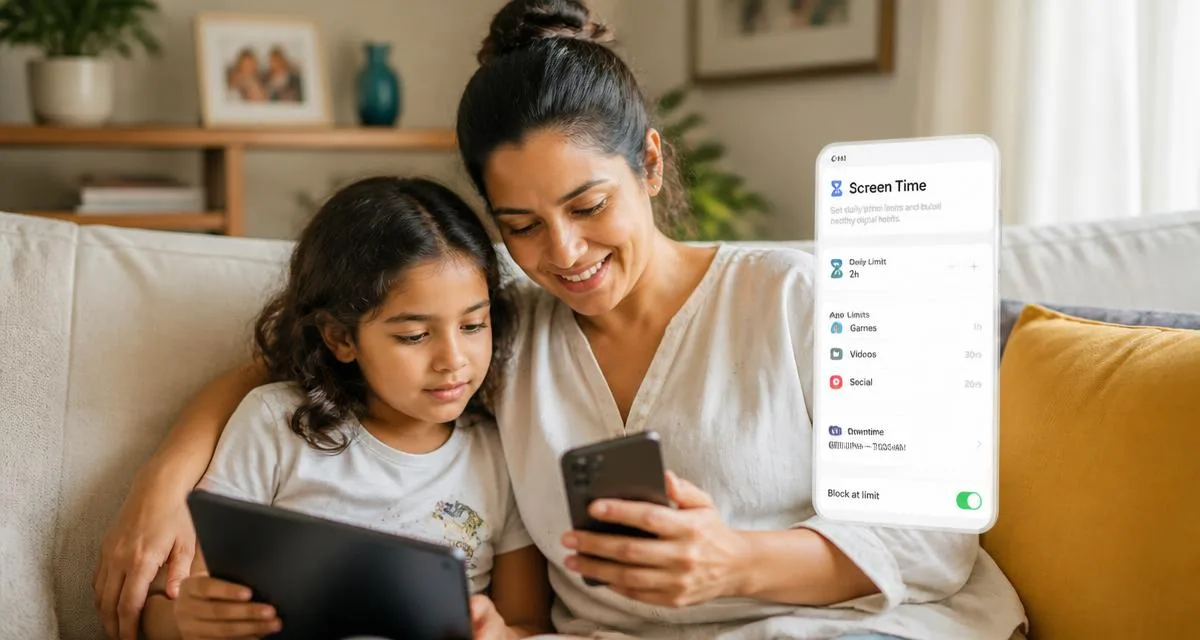
  • Apple: Screen Time, then Content & Privacy Restrictions. Set movie and TV rating limits for the whole device and lock it with a passcode that is not your unlock code.
  • Android and Chromebook: Google Family Link for app limits, content filters and screen time.
  • Roku, Fire TV, Apple TV: each has its own PIN and rating limits at the device level. Set them, because they cover apps you have not thought about.
What none of this does

Controls buy you time, not permanent safety

Kids share phones, watch things at sleepovers, and eventually work out your PIN. The reviews are a starting point, not a verdict, because you know things about your child that no reviewer does: what they are scared of, what they are ready for, what they are quietly worried about right now.

The most useful thing you can do alongside all of this is make it normal to talk about what they watched. A kid who will tell you a scene bothered them is better protected than a kid with a perfectly configured Netflix profile and nobody to mention it to.

Checklist

Your twenty-minute setup

This content is informational. Platform menus change often, so if a setting is not where described, search the service's help center for "parental controls". Age ratings vary by country — check your local classification body as well.

Veja também

Keep exploring

More from momsnet on screens, safety and everyday conversations.

More reading on the same topics.

Mother and daughter sitting on the couch looking at a tablet together, talking about internet safety
Digital Safety7 min read

Online safety for kids: how to protect your child on chat apps and games

Private servers, grooming and live streaming: what to do at home — the conversation, privacy settings, warning signs and how to report.

#online safety#internet#tweens
Read article →
Mother and daughter on the sofa adjusting parental control settings together on a phone and tablet
Digital Safety9 min read

Parental controls: how to set up your kids' devices, one by one

Phones, tablets, computers, consoles, YouTube, streaming, Roblox, Discord and home Wi-Fi: what's free, where to find it and how to adapt it by age.

#digital safety#parental controls#screens
Read article →
Dad receiving a handmade card from his kids in the kitchen, with the lunch table set
Special Dates8 min read

Father's Day: activities for little kids and menu ideas

Handmade gift ideas by age (1 to 10) and four complete menus so the kids can help cook and celebrate.

#father's day#family#activities
Read article →
Dinner table set for adults with a colorful kids' table beside it
Family8 min read

How to host the perfect dinner with kids at the party

Timing on their side, a simple kids' menu, a kids' corner, screen-free entertainment and a dessert everyone shares.

#family#party#food
Read article →
Family dinner table with a steaming pot of soup, mugs of soup and a basket of bread
Recipes7 min read

10 delicious soups to warm up family dinner on cold nights

Chicken soup, caldo verde, creamy pumpkin, lentil, corn chowder and more — with ingredients, method and soup-night ideas.

#recipes#dinner#food
Read article →
Chicken pie with a golden cornbread topping in a white baking dish, creamy chicken and vegetable filling showing
Recipes6 min read

Chicken pie with cornbread topping: the perfect dish for cold nights

Creamy chicken and vegetable filling under a golden cornbread crust: the dish's history, the full recipe and family dinner tips.

#recipes#dinner#food
Read article →
Family celebrating Valentine's Day with heart cards and strawberries in the kitchen
Special Dates12 min read

Valentine's Day with kids: 30 ideas to celebrate as a family

Art, kitchen, games and recipes to turn the day into a lasting family memory — without giving up couple time.

#family#love#activities
Read article →
Child having a healthy breakfast in a sunlit family kitchen
Routine7 min read

Routines that work: predictability done lightly

Routines give kids security. Learn how to build one without rigidity or guilt.

#routine#sleep#organization
Read article →
See all articles →

Receba atividades novas toda semana.

Sem spam. Só ideias boas para você e seu pequeno.